· marketing · 6 min read
Predictive Analytics with Google: Turning Data into Future Trends
A practical guide to using Google Analytics (GA4) and the Google Cloud ecosystem to build predictive models that forecast customer behavior and drive proactive marketing actions.
What you’ll be able to do
Imagine knowing which users are likely to convert next month, who will churn, and which segments will deliver the highest lifetime value-before it happens. That’s exactly what predictive analytics with Google’s stack lets you achieve. Read on and you’ll learn how to use Google Analytics (GA4) together with BigQuery, BigQuery ML, and other Google tools to build, evaluate, and operationalize predictive models that inform real marketing decisions.
This is practical. Not theoretical. You’ll leave with a clear path from raw events to predictive audiences and automated marketing actions.
Why predictive analytics matters now
Data-driven marketing used to be reactive: measure last month’s campaign and adjust. That still matters. But proactive marketing-anticipating customer behavior and acting before events occur-wins higher conversion rates and lower acquisition costs. Predictive models turn observational signals into forecasts you can act on. Short-term wins. Long-term strategic advantage.
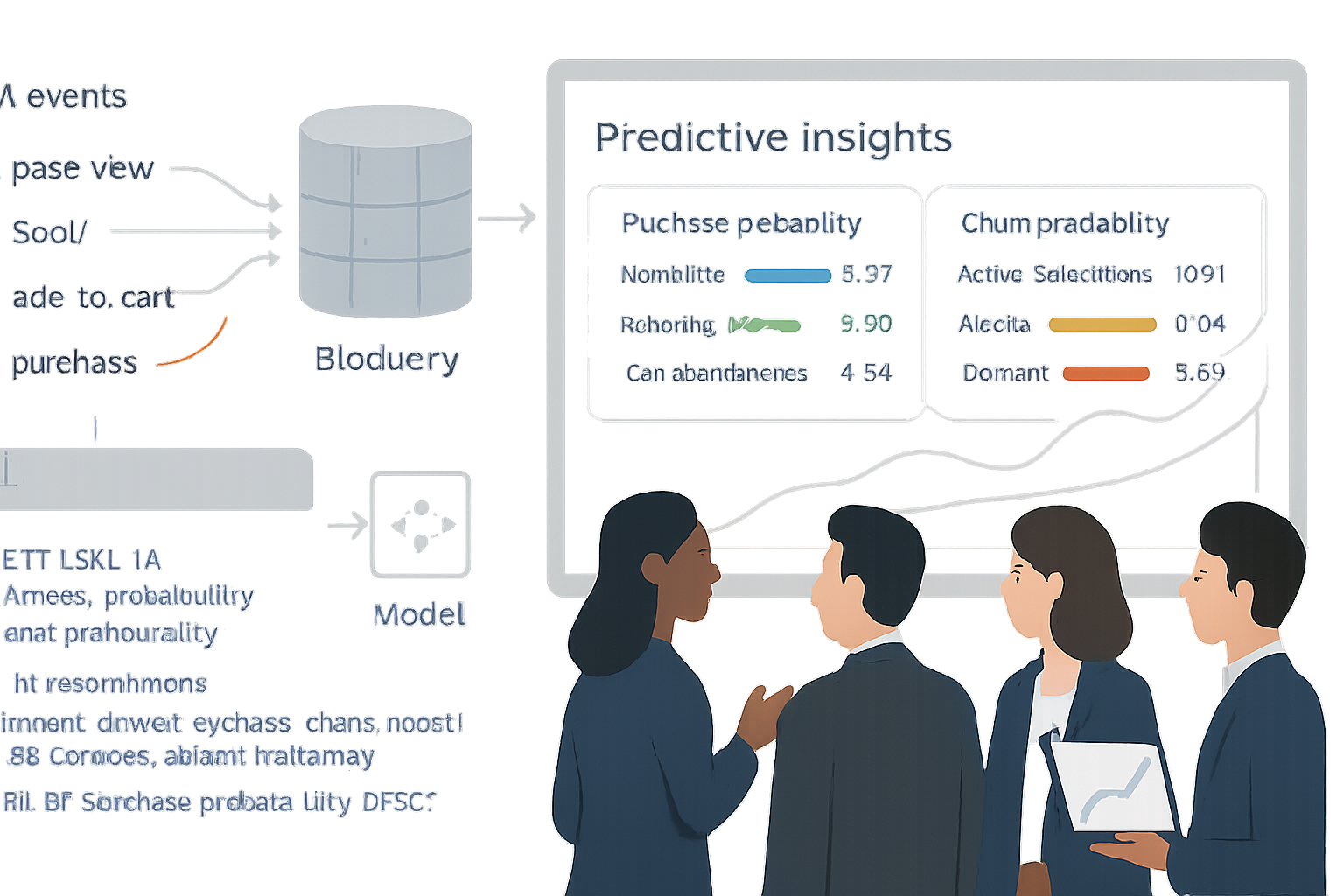
The Google ecosystem makes this accessible. GA4 captures event-level customer interactions. BigQuery stores that data at scale. BigQuery ML and Vertex AI let you train models where the data already lives. And Google Ads, Firebase, or your CRM let you act on predictions.
The Google stack: what to use and why
- Google Analytics 4 (GA4) - event-based measurement and built-in predictive metrics (purchase probability, churn probability, predicted revenue). See GA4 predictive metrics documentation for details.
- BigQuery export - export raw GA4 event streams for flexible analysis and ML-ready datasets.
- BigQuery ML - train models with SQL, directly on your analytics data (classification, regression, time-series, and more).
- Vertex AI (optional) - for advanced model training, explainability, and deployment at scale.
Use GA4 prediction features for quick wins. Use BigQuery + BigQuery ML when you need custom models, more features, or better control.
Common business use cases
- Purchase probability - identify users most likely to buy so you bid smarter in Google Ads or send high-intent offers.
- Churn prediction - detect users at risk of becoming inactive and trigger retention campaigns.
- LTV (predicted revenue) - prioritize spend on high-value segments and improve CAC/LTV ratios.
- Next-best action - recommend the right product or channel for each user.
- Session-level uplift - predict which sessions will convert and offer in-session nudges.
End-to-end workflow (practical steps)
Define clear objectives and success metrics
- Example objective - “Increase purchase conversions by 12% among returning users in Q3.”
- Define label (what you’re predicting), timeframe, and success metric (lift, AUC, precision@k).
Instrumentation & measurement plan
- Ensure GA4 event schema is consistent - user_id or client_id, event_name, event_timestamp, purchase_value, items, page_location, traffic_source, device info.
- Capture first_touch, campaign parameters, and any business-specific events.
- Respect consent - do not import PII without consent. Follow privacy rules and your organization’s data governance.
Export to BigQuery and shape your dataset
- Enable GA4 BigQuery export for a continuous stream of events.
- Build a user-level table using sessionization and aggregation. Typical features - recency (days since last session), frequency (sessions in last 30/90 days), avg_engagement_time, total_purchases, total_revenue, last_event_name, campaign_source, device_category.
Example SQL sketch for user-level aggregation (simplified):
CREATE OR REPLACE TABLE my_dataset.user_features AS
SELECT
  user_pseudo_id AS user_id,
  MAX(event_timestamp) AS last_event_ts,
  COUNTIF(event_name = 'purchase') AS purchases_90d,
  COUNT(DISTINCT session_id) AS sessions_90d,
  AVG(engagement_time_msec) / 1000 AS avg_engagement_seconds,
  ANY_VALUE(traffic_source.source) AS last_source
FROM `project.analytics_123456.events_*`
WHERE _TABLE_SUFFIX BETWEEN FORMAT_DATE('%Y%m%d', DATE_SUB(CURRENT_DATE(), INTERVAL 90 DAY))
  AND FORMAT_DATE('%Y%m%d', CURRENT_DATE())
GROUP BY user_pseudo_id;
Define the label and create a training set
- For purchase probability - label = 1 if user made a purchase within 30 days after the feature window; otherwise 0.
- Use a time-based split to avoid leakage - training on historical windows and validating on later windows.
Train a model using BigQuery ML (example)
- BigQuery ML lets you train models with SQL. Here’s a logistic regression example to predict a binary label (purchase within 30 days):
CREATE OR REPLACE MODEL my_dataset.purchase_model OPTIONS( model_type='logistic_reg', input_label_cols=['label'], auto_class_weights=true ) AS SELECT purchases_90d, sessions_90d, avg_engagement_seconds, last_source, label FROM my_dataset.training_table;- For non-linear relationships, try boosted trees (XGBoost) in BigQuery ML by setting model_type=‘boosted_tree_classifier’.
Evaluate and validate the model
- Use ML.EVALUATE to get AUC, precision, recall, and more:
SELECT * FROM ML.EVALUATE(MODEL my_dataset.purchase_model, (SELECT * FROM my_dataset.validation_table));- Inspect calibration and precision@k (e.g., top 5% predicted users). Use confusion matrices and uplift simulations to estimate business impact.
Export predictions and operationalize
- Generate scores with ML.PREDICT:
CREATE OR REPLACE TABLE my_dataset.predictions AS SELECT user_id, predicted_label_probs[OFFSET(1)] AS purchase_prob FROM ML.PREDICT(MODEL my_dataset.purchase_model, (SELECT * FROM my_dataset.scoring_table));- Use predictions to build audiences in GA4 or Google Ads, or to feed your CRM. Options:
- Import CSVs into Google Ads or your CRM.
- Use Google Analytics audiences via measurement protocol or by re-ingesting user lists.
- Use Cloud Functions / Dataflow to sync predictions to external systems in near real-time.
Monitor, recalibrate, and retrain
- Track model performance over time (AUC drift, prediction distribution shifts).
- Schedule regular retraining (weekly/monthly) depending on data velocity.
- Implement guardrails - minimum sample sizes, feature drift alerts, and manual review for big changes.
Practical modeling tips
- Avoid data leakage - never use features that include information from the prediction window.
- Time-based train/validation/test splits are essential for realistic evaluation.
- Feature engineering matters more than complex models. Interaction features (recency x frequency), time features (day-of-week), and campaign context often drive signal.
- Use explainability - BigQuery ML supports model feature importances. Understand why the model predicts a user will churn or convert.
- Balance class imbalance - use class weights or resampling when positive events are rare.
Privacy, compliance, and governance
- Use aggregated predictions when possible. Avoid sending raw user-level PII to advertising systems unless explicitly permitted.
- Keep consent central - honor user consent collected in GA4. Use first-party identifiers responsibly.
- Document lineage - measurement plan → dataset → model → downstream usage. That documentation is critical for audits.
Common pitfalls and how to avoid them
- Overfitting to a short time window - use longer horizons and validate across different seasonal periods.
- Confusing correlation with causation - a high predictive feature (like campaign source) may be a proxy. Don’t assume causal impact without experimentation.
- Not measuring business lift - always A/B test actions driven by your model to confirm incremental impact.
Quick checklist before you launch
- Instrument GA4 correctly and export to BigQuery.
- Define clear prediction objective and label timeframe.
- Build robust user-level features and avoid leakage.
- Train with time-split validation and evaluate meaningful metrics (AUC, precision@k, calibration).
- Operationalize predictions into audiences or CRM with privacy controls.
- Monitor model performance and schedule regular retraining.
Resources and further reading
- GA4 predictive metrics: https://support.google.com/analytics/answer/10089626
- GA4 BigQuery export: https://support.google.com/analytics/answer/9823238
- BigQuery ML documentation: https://cloud.google.com/bigquery-ml/docs
- Vertex AI: https://cloud.google.com/vertex-ai
Closing: turn signals into action
Predictive analytics is not an academic exercise. It’s a way to move from hindsight to foresight and from campaigns that react to campaigns that anticipate. Start small: test a single use case (purchase probability or churn), validate its incremental impact, then scale. When you put the right measurement in place and train models where the data lives, you’ll be able to forecast customer behavior reliably-and act on it in ways that move the business needle.
Act on predictions. Measure the lift. Repeat.