· marketing · 6 min read
Canva vs. Traditional Graphic Design: Who Wins?
A practical, side-by-side examination of Canva and traditional graphic design. Learn cost ranges, strengths and weaknesses of each approach, and a simple decision framework to choose the right path for your project.
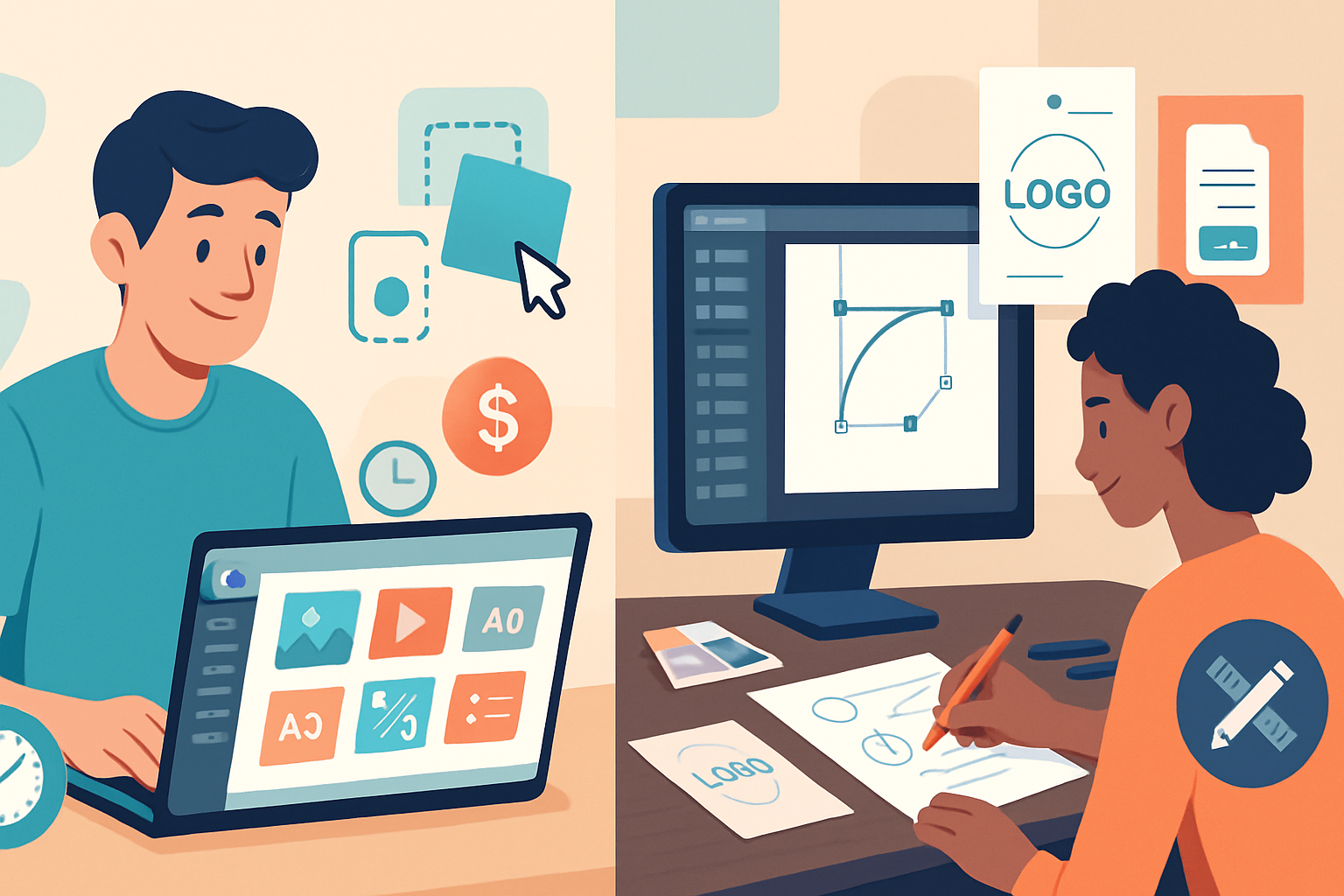
Outcome-first: Read this and you’ll know-quickly and confidently-when Canva is the smartest, most cost-effective choice and when a traditional designer is worth every penny. You’ll leave with clear cost ranges, real-world scenarios, and a short checklist to decide in minutes.
Quick verdict
Short version: Canva wins for speed, affordability, and simple, repeatable content. Traditional graphic design wins for originality, high-stakes brand work, and craft that requires strategic thinking or complex production. Decide by the stakes and the need for uniqueness.
What we’re comparing
- Canva - a template-driven, cloud-based design tool with prebuilt assets and collaboration features. Fast. Cheap. Accessible.
- Traditional graphic design - work done by a trained designer or agency, often using tools like Illustrator, InDesign, or Figma, tailored and crafted from scratch.
Price: apples-to-apples (realistic ranges)
- Canva - free tier available; Canva Pro roughly $12–13/month per user (annual pricing lowers the monthly equivalent) with access to premium templates, images and a brand kit. Teams and enterprise plans scale up. See Canva pricing for current plans:
- Freelance designers - rates vary widely - from budget freelancers at $25–60/hr to experienced specialists charging $75–200+/hr. Projects like a simple logo can run $200–$1,000; a full brand identity often starts at $2,000 and can rise to $20,000+ depending on scope
- Agencies - typically charge project-based fees starting in the low thousands for small brands and moving into five- or six-figure engagements for full rebrands, packaging systems, or large campaigns.
Context matters: If you need hundreds of social posts per month, Canva’s per-month subscription is far cheaper than paying even a junior designer hourly. If you need a brand that will be the face of your company for years, investing in a designer is usually cheaper in the long run than repeatedly tweaking template-based assets.
Strengths and weaknesses - side-by-side
Speed & convenience
Canva: Instant. Drag-and-drop templates, pre-made layouts, and stock images let non-designers produce social posts, flyers, and simple ads in minutes. Collaboration tools and one-click resizing accelerate content pipelines.
Traditional design: Slower. Briefing, concepting, iterations and proofs take time. But that time buys strategy, refinement, and files built for multiple contexts (print specs, SVGs, CMYK exports).
Winner: Canva for speed. Designer for considered work.
Cost-effectiveness
Canva: Extremely cost-effective for recurring low-to-medium complexity needs. Subscription fees and per-asset licensing are predictable.
Designer: Higher upfront cost, but better value for complex or high-impact work where quality directly affects revenue or brand perception.
Winner: Canva for volume and predictable budgets; designers for ROI on high-stakes work.
Originality & brand differentiation
Canva: Built on templates. Templates are great for consistency and quick output, but heavy use across businesses leads to lookalike designs and weaker differentiation.
Designer: A human designer crafts original concepts, unique typography choices, and a brand voice that scales across touchpoints.
Winner: Designer for uniqueness.
Technical quality & production
Canva: Great for web/social assets and simple print jobs. Some limitations exist for complex print specs, custom typography, advanced illustration, or accessibility-driven design systems.
Designer: Can deliver print-ready files, custom illustrations, advanced typography, accessible design, and assets optimized for performance (e.g., SVG optimization).
Winner: Designer for complex production.
Collaboration & workflow
Canva: Excellent for small teams and marketing departments where non-designers produce final materials. The brand kit, locked templates, and team folders improve consistency.
Designer: Offers strategy sessions, creative direction, and bespoke processes. Works better when stakeholders need to iterate conceptually rather than just replace text and images.
Winner: Depends. Canva for decentralized content creation; designers for centralized strategic control.
Legalities & IP
Canva: Many assets are licensed for commercial use, but you must check image and element licensing for large-scale or exclusivity needs. You won’t get exclusive ownership of a template layout unless it’s customized deeply.
Designer: Contracts can assign IP and guarantee deliverables are original - important for trademarks, packaging, UI patents, or campaigns where exclusivity matters.
Winner: Designer for exclusive IP needs.
Practical examples (when each wins)
Use Canva when:
- You need social graphics, simple ads, or event flyers fast and on budget.
- You publish high volumes of templated content (weekly newsletters, daily social posts).
- You’re a small business owner or community manager with minimal design budget.
Hire a designer when:
- You need a logo, brand identity, or packaging that must be unique and defensible.
- Your product requires complex UI/UX, illustration, or print production.
- The design will be used across high-value touchpoints (national campaigns, investor presentations, product labeling).
Hybrid approaches - best of both worlds
You don’t have to pick one. Many smart teams combine both:
- Hire a designer to craft a brand system, then build locked templates in Canva for day-to-day content.
- Commission key assets (logo, hero illustration, brand guidelines) from a designer, and let marketing produce socials and one-offs in Canva.
- Have a designer create master files (AI, PSD, Figma) and export template sets for Canva import.
A hybrid approach preserves brand integrity while keeping costs down and content velocity high.
Simple decision framework (2-minute rule)
Ask three questions and pick the path:
- Will this design represent my brand in a high-stakes context (customers, investors, shelf, trademark)? If yes → Designer.
- Do I need many similar pieces produced quickly and cheaply? If yes → Canva.
- Do I require exclusivity, complex production, or custom illustration? If yes → Designer. If no but brand consistency matters → Hybrid.
If you answered 1 or 3 “yes,” default to hiring a designer.
Quick checklist before you decide
- Audience impact - Will imperfect design hurt conversion or credibility? If yes, prioritize a designer.
- Volume - Do you need dozens/hundreds of items regularly? Canva often saves money.
- Longevity - Is this a one-off or a long-term brand asset? Long-term → designer.
- Legal/IP - Do you need exclusivity? Designer and contracts.
- File needs - Do you require layered vector files, print specs, or custom fonts? Designer.
Cost-saving tips if you hire designers
- Buy a starter package - ask for a minimal brand kit (logo variations, color palette, typographic system) instead of a full-blown guide.
- Pay for master source files and reuse them for templating in Canva.
- Negotiate a fixed scope and include a clause for template exports to Canva or Figma.
Final recommendation
There’s no single “winner.” Choose by outcome. If you need speed, volume, and budget predictability, Canva wins. If you need differentiation, strategic thinking, legal ownership, or complex production, a traditional designer wins. Most successful teams use both: designers for the brand spine and Canva for the daily content that keeps the brand visible.
References
- Canva pricing and plans: https://www.canva.com/pricing/
- How much does graphic design cost? (DesignRush): https://www.designrush.com/agency/design/how-much-does-graphic-design-cost
- When to use Canva (99designs): https://99designs.com/blog/tips/when-to-use-canva/
- Average freelancer rates and hiring guidance (Upwork): https://www.upwork.com/hiring/for-freelancers/average-freelancer-rates/