· productivity · 6 min read
Feature Showdown: Zapier vs. Integromat - Which is Best for Your Business?
An in-depth comparison of Zapier and Integromat (Make) across features, ease of use, pricing, scalability, and real-world use cases - to help you pick the right automation platform for your business.
What you’ll be able to decide after reading this
Read this and you’ll know exactly which automation platform fits your team: the fast, simple, low-friction option, or the flexible, logic-rich power tool. Short answer up front: choose the tool that matches your complexity and growth plans. Read on for the how and why.
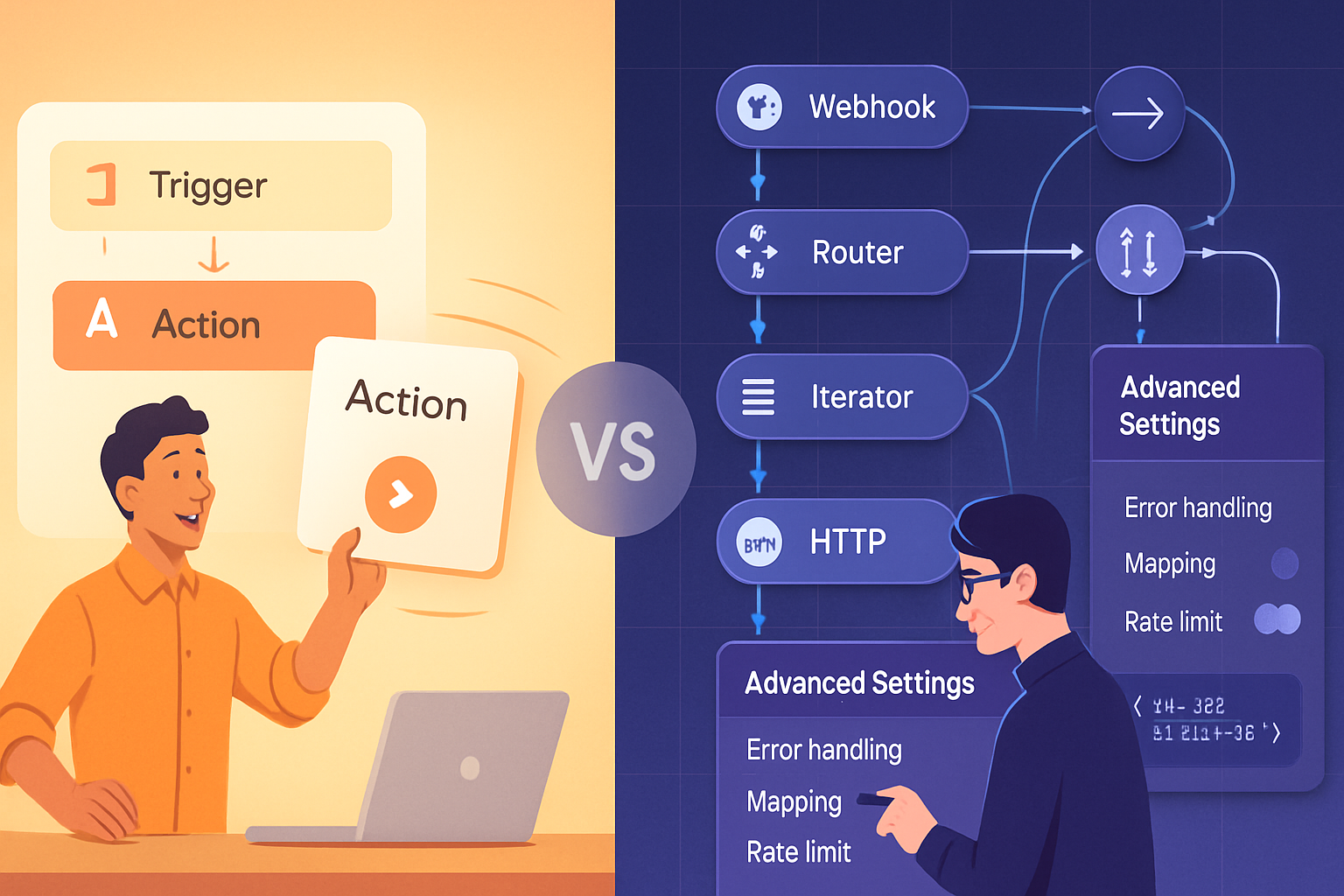
Quick snapshot: Zapier vs Integromat (Make)
- Zapier - Designed for fast setup and broad app coverage. Excellent for marketing teams, sales ops, and anyone who needs reliable point-to-point automations with minimal learning.
- Integromat (now Make) - Built for advanced workflows, data transformations, conditional logic and complex routing. Favored by ops engineers, developers, and teams that need precise control.
References: Zapier and Make (formerly Integromat).
Core feature comparison
1) Ease of use
- Zapier - Very beginner-friendly. Clear step-based builder and millions of prebuilt “Zaps” make setup fast. The UX is aimed at non-technical users. Short learning curve.
- Make - Visual canvas with modules and detailed configuration. More visual power, but more to learn. Great for people who don’t mind a steeper ramp to get fine-grained control.
2) Logic, branching, and flow control
- Zapier - Offers multi-step Zaps, filters, and paths. Good for most branching needs, but complex branching and nested loops are limited or awkward.
- Make - Native routers, iterators, aggregators and advanced error handling. You can build complex, branching flows with loops, parallel paths and fine data control.
3) Data transformation
- Zapier - Has Formatter steps for common transformations (dates, text, numbers). Works well for typical tasks.
- Make - Extremely powerful built-in functions for parsing, mapping and transforming complex JSON/XML. Better suited for heavy data work and complex schema mapping.
4) Connectors and app coverage
- Zapier - Massive catalog of apps and many official integrations. If you need wide coverage and ready-made triggers/actions, Zapier is often first.
- Make - Strong set of built-in apps plus HTTP and webhook modules that let you integrate with virtually anything. Sometimes fewer prebuilt connectors but more flexibility via direct API calls.
5) Error handling and debugging
- Zapier - Clear logs and task histories. Retries and error notification features are present but simpler.
- Make - Detailed execution history with visual step-by-step replay, data snapshots at each module and advanced retry/error routes. Better for diagnosing complex flows.
6) Monitoring & observability
- Zapier - Task history and basic alerting. Good for volume checks and identifying failing Zaps.
- Make - Rich execution logs, scenario scheduling insights, and in-depth module-level data points for thorough monitoring.
7) Pricing model and operational limits
- Zapier - Pricing based on tasks (executions) and features. Predictable for simple use, but costs can increase quickly with high-frequency automations. See
- Make - Pricing based on operations/credits and scenario complexity; generally more cost-effective for complex flows and high-volume scenarios. Compare at
8) Security and compliance
- Zapier - Enterprise features like SSO, advanced admin controls, and SOC/ISO level security options in higher plans.
- Make - Offers enterprise features and security controls. Both platforms have professional security postures - check vendor docs for specifics relevant to your industry.
Real-world strengths and weaknesses
Zapier strengths
- Rapid deployment - set up common automations within minutes.
- Huge template gallery and app ecosystem.
- Simple, predictable UI for non-technical users.
Zapier weaknesses
- Less suited for workflows with complex branching or deep data transformation.
- Cost can grow quickly with many high-frequency tasks.
Make (Integromat) strengths
- Superior for complex logic, looping, and data transformation.
- Visual canvas shows data flowing through every step - excellent debugging.
- Lower cost per operation for complex or high-volume scenarios.
Make weaknesses
- Steeper learning curve; initial setup is slower.
- Fewer one-click connectors for some niche apps (though HTTP and API modules fill the gap).
Which platform suits which business need?
Pick Zapier if:
- You need fast wins and quick automations.
- Your workflows are straightforward (trigger → action → optional filter).
- You have non-technical users who must create and maintain automations.
- You value a huge library of ready-made app integrations.
Pick Make if:
- Your workflows require loops, aggregations, conditional routing or heavy data transformation.
- You need detailed execution logs and complex error handling.
- You’re integrating via APIs or need bespoke data mappings.
- You want to optimize cost for complex/high-volume automations.
Example automations (concrete scenarios)
- Simple lead routing
- Zapier - Trigger from form tool → create lead in CRM → send Slack notification → works in minutes.
- Complex order processing
- Make - Watch e-commerce webhook → aggregate line items → call tax service via API → enrich order with customer history → create invoice and update ERP → parallel shipping label requests - all within one scenario with retries and conditional routing.
- Data ingestion and normalization
- Make handles batched JSON ingestion from APIs, flattens arrays, normalizes dates and pushes clean rows to a data warehouse. Zapier can do this too, but you’ll often run into limits or need many chained steps.
Pricing considerations and Total Cost of Ownership (TCO)
- Zapier - Pay-per-task model is simple. Great for low to moderate usage. But if you have many triggers firing often, task counts balloon and so do monthly costs.
- Make - Operation/credit model can be more economical for complex scenarios because many internal actions can be optimized in a single operation. Evaluate using a few sample automations and estimate monthly runs.
Tip: Model your expected runs (daily triggers × steps per run) and apply vendor pricing to compare real monthly costs. Use free tiers and trial credits to prototype before committing.
Migration and hybrid approaches
You don’t always have to pick one forever. Teams often start on Zapier for quick automations and migrate heavy workflows to Make later. Or run both in parallel: Zapier for shallow, user-facing automations and Make for backend processing.
Migration checklist
- Inventory existing automations and metrics (runs, failures, owners).
- Identify high-complexity or high-cost workflows to port first.
- Map triggers, data shapes, and error routes.
- Test on staging data and compare performance and cost.
Decision checklist (quick)
Ask these questions:
- How complex are your workflows? (simple → Zapier; complex → Make)
- Who will build and maintain automations? (non-technical → Zapier; technical → Make)
- How frequent are automations and what’s the estimated monthly task/operation count? (low → Zapier; high or heavy manipulation → Make)
- Do you need fine-grained observability and error routing? (yes → Make)
Final recommendation
Zapier wins for speed, ease and breadth of integrations - the classic go-to for teams that need to automate without a developer. Make (Integromat) wins for power, precision and cost efficiency on complex workflows - the go-to for teams that need advanced logic and control. The best choice is the one that matches your team’s technical comfort, workflow complexity and budget; pick the simpler tool for rapid wins and the more capable platform when your workflows demand control and scale.
Resources
- Zapier: https://zapier.com
- Zapier pricing: https://zapier.com/pricing
- Make (formerly Integromat): https://www.make.com
- Make pricing and help: https://www.make.com/en/pricing and https://www.make.com/en/help