· business · 7 min read
The Controversial Truth About Free vs. Paid Shopify Themes: Which One Really Sells?
Decide whether a free or paid Shopify theme will actually lift sales for your store. Learn how themes impact speed, trust and conversions, what metrics to test, real merchant trade-offs, and a practical decision framework you can apply today.
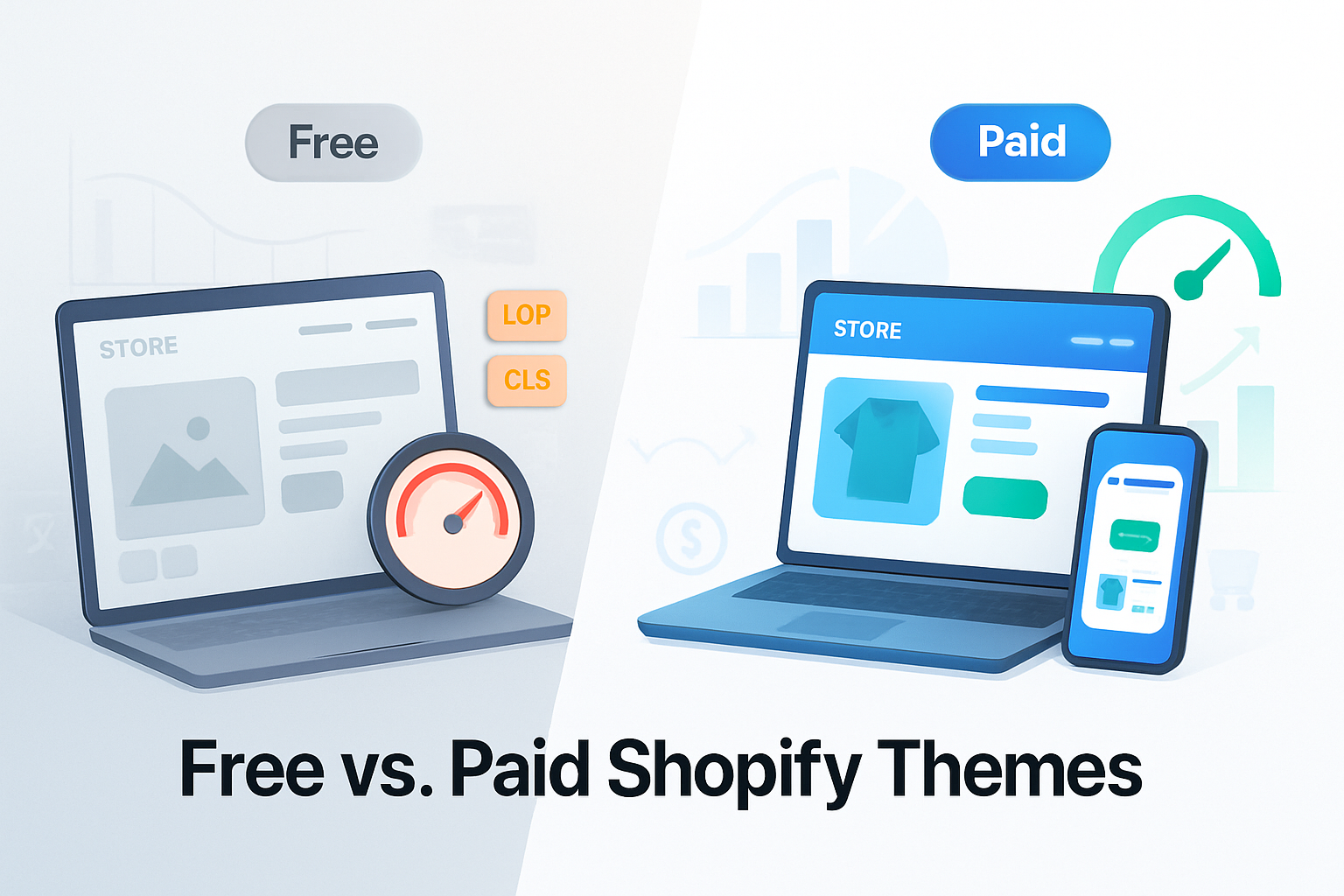
Outcome: By the end of this article you’ll know which theme choice is more likely to move the needle for your Shopify store - and how to prove it with data instead of opinions.
Why this matters. Themes aren’t just “how your store looks.” They shape speed, trust, UX flow, and ultimately the moment someone decides to buy. Choose poorly and even great products can underperform. Choose wisely and incremental gains compound into serious revenue.
The short answer
- If you run a simple, low-volume store or a tight-margin test - start with a free theme and optimize it.
- If your brand depends on conversion rate, unique UX, high average order value (AOV) or complex product pages - invest in a paid theme (or bespoke design) -
That’s the executive summary. Now let’s dig into why.
How themes actually affect sales
Themes influence four channels that impact revenue:
Performance (page speed & Core Web Vitals). Slow pages lose customers. Google and industry studies have shown drastic drop-offs in mobile retention as load time increases. See Think With Google’s page-speed benchmarks for context: https://www.thinkwithgoogle.com/marketing-resources/data-measurement/mobile-page-speed-new-industry-benchmarks/
Trust & credibility. Visual polish, consistent branding and reliable layout signal legitimacy. Many shoppers equate cheap-looking design with risk.
UX & conversion flow. Built-in features (product upsells, optimized cart, sticky add-to-cart, easily editable sections) reduce friction and lift conversion.
Developer maintainability & extensibility. A well-coded theme saves money long-term. Poor code becomes a bottleneck for experiments and fixes.
What the data says (performance metrics to watch)
Measure themes with the same rigor you use for ads or product development. Key metrics:
- Conversion rate (CR) - the ultimate KPI.
- Average order value (AOV).
- Bounce rate and pages per session.
- Core Web Vitals - Largest Contentful Paint (LCP), Cumulative Layout Shift (CLS), and Interaction to Next Paint (INP) or First Input Delay (FID)
- Time to first byte (TTFB), First Contentful Paint (FCP), Speed Index.
Tools I recommend:
- Google PageSpeed Insights / Lighthouse: https://developers.google.com/speed/pagespeed/insights/
- WebPageTest or GTmetrix for waterfall and resource analysis.
- Shopify admin analytics + conversion funnels.
Industry benchmarks show clear correlations: every 1s improvement in load time can materially improve conversion rates, and sites that hit Core Web Vitals targets enjoy fewer bounces and better search visibility (see Lighthouse docs: https://developers.google.com/web/tools/lighthouse).
Free themes - strengths and limits
Why merchants pick free themes:
- Zero upfront cost.
- Simpler structure and less built-in bloat.
- Shopify supports and updates them frequently.
When free themes work well:
- You sell commodity products with low AOV and your traffic is price-sensitive.
- You’re validating product-market fit or running experiments.
- You have strong brand assets (images, copy) and can make a free theme look great.
Limitations of free themes:
- Fewer built-in conversion features (upsells, advanced product templates).
- Limited uniqueness; your storefront may look generic.
- Support and customization may rely on third-party developers.
Bottom line: free themes can sell - but they rarely unlock the last 10–30% of conversion potential without custom work.
Paid themes - what you get (and what you pay for)
Paid themes often include:
- Conversion-focused templates (bundle pages, lookbooks, mega-menus).
- More pre-built sections and styles to reduce dev time.
- Dedicated developer support from the theme author.
- Enhanced demo content to match specific verticals.
Trade-offs:
- Cost (typically $100–$400 one-time, sometimes recurring marketplaces or premium plugins).
- Marketplace themes can still be poorly coded; price is not an absolute guarantee of quality.
Paid themes tend to help stores that need a unique presentation or advanced UX features, especially when the AOV justifies the spend.
Real merchant insights (what successful store owners say)
Across interviews, case studies and thread discussions, successful stores typically report one of two patterns:
- Small merchants - Bought a paid theme once they validated product-market fit. Early stages = free theme + fast iteration.
- Growth merchants - Invested in a paid theme or custom design to remove friction and scale CRO. The cost paid for itself when conversion improved by a few percentage points.
Common merchant wisdom:
- “Design and copy mattered more than theme price.” You can make a free theme convert well if your photography, descriptions and funnels are excellent.
- “Speed beats features when traffic is mobile-first.” Many merchants found that a lean free theme plus rigorous image and app cleanup beat a flashy paid theme that loaded slowly.
- “Test before you commit.” Merchants who A/B-tested theme changes before committing to large design spends had better ROI.
(These trends come from multiple merchant case studies and forums; for implementation, consult Shopify’s theme and case study resources: https://www.shopify.com/online-store/themes and Shopify Plus customer stories: https://www.shopify.com/plus/customers)
A practical decision framework (step-by-step)
- Clarify your business profile:
- AOV, monthly revenue, traffic quality, margin.
- Ask the right question:
- Do you need distinct UX features or higher perceived value? If yes, consider paid/custom.
- Benchmark your current store:
- Run Lighthouse / PageSpeed & record CR, AOV, bounce rate.
- Small test strategy:
- Duplicate your live theme in Shopify, install the paid theme or a heavily customized free theme on the draft, and run an A/B test with at least 2–4 weeks of traffic (or use a 3rd-party A/B tool).
- Evaluate results by business metrics (CR, AOV, revenue per visitor), not just impressions.
- If paid theme wins, include the theme cost into payback calculations. If not, iterate on the free theme.
Simple ROI formula:
- Expected uplift in conversion (%) x current monthly visitors x current conversion rate x AOV = incremental monthly revenue.
- Compare incremental monthly revenue to the theme cost. If payback period < 3–6 months, it’s usually a safe buy.
Example:
- Traffic - 10,000 visitors/mo
- CR - 1% (100 orders)
- AOV - $60
- Proposed uplift - 20% (to 1.2%) → +20 orders → +$1,200/mo
- Paid theme cost - $300 → payback in ~1 month
Adjust assumptions conservatively. Use real A/B test results when possible.
How to test themes properly (practical checklist)
- Always test with real traffic. Simulator screenshots aren’t enough.
- Use Shopify’s duplicate theme workflow or a feature-flagged A/B tool to avoid SEO issues.
- Track business KPIs - CR, AOV, revenue per visitor, bounce on product pages, cart abandonment.
- Measure performance metrics in parallel (LCP, CLS, TTFB). A theme that increases CR but drastically slows pages can cost SEO and long-term growth.
- Control for seasonality and ad creative - test with the same ads and audience.
Tools: Google Optimize alternatives (if available), third-party A/B platforms, or split-traffic via ad campaigns.
Optimization tips whether you pick free or paid
- Optimize images - next-gen formats (WebP), responsive srcsets, lazy-loading.
- Audit apps - each app can add scripts and weight. Remove unused apps and prefer server-side solutions when possible.
- Defer non-critical JS and inline critical CSS where safe.
- Use Shopify Sections and templates smartly - avoid duplicating heavy scripts across templates.
- Monitor Core Web Vitals and prioritize fixes that impact LCP and CLS.
Resources for technical optimization:
- Lighthouse / PageSpeed Insights: https://developers.google.com/speed/pagespeed/insights/
- Web Vitals guidance: https://web.dev/vitals/
When to hire a developer or go custom
Hire a developer when:
- Your business metrics justify the cost (high AOV, high traffic, or complex requirements).
- You need unique UX that’ll differentiate the brand and can’t be achieved with theme settings.
- Performance optimization requires code-level changes (server-side image sizing, custom JS loading strategies).
A custom build is the most expensive route, but it also gives the highest potential for tailored conversion improvements.
Final recommendation - practical rules of thumb
- Rule 1 - Start lean. If you’re validating products, a free theme + strong photography + crisp copy is a winning combo.
- Rule 2 - Measure everything. Don’t buy a theme because it looks cool; buy it because it returns measurable revenue improvements in an A/B test.
- Rule 3 - Prioritize speed and clarity. Slow, feature-packed themes often underperform lean, focused templates.
- Rule 4 - Invest in what moves your funnel. Sometimes the best use of $300 is on hero photography, paid ads to test product-market fit, or a CRO specialist - not just a theme.
If you follow the framework above you’ll turn the controversial debate into a structured investment decision - one backed by data, not opinion.
Quick resources
- Shopify Themes: https://www.shopify.com/online-store/themes
- Google PageSpeed Insights / Lighthouse: https://developers.google.com/speed/pagespeed/insights/
- Web Vitals: https://web.dev/vitals/
- Think With Google - mobile page speed benchmarks: https://www.thinkwithgoogle.com/marketing-resources/data-measurement/mobile-page-speed-new-industry-benchmarks/
- Baymard Institute (ecommerce UX & performance research): https://baymard.com/