· business · 6 min read
Why Pipedrive is the Ultimate CRM for Remote Teams: A Deep Dive
A practical deep dive showing how Pipedrive's visual pipelines, automations, integrations, mobile tools, and reporting make it ideal for remote teams - plus concrete tips to get the most from each feature.

Outcome first: use Pipedrive to run a predictable, collaborative, and measurable remote sales operation that scales. Faster handoffs. Fewer dropped leads. Clear ownership. Less status chasing.
Why you can get there in weeks, not months: Pipedrive’s design centers on visible pipelines and activity-driven selling, and it bundles automation, integrations, mobile access and reporting that match how remote teams work every day.
The remote team challenge - brief
Remote teams lose momentum when visibility, handoffs and repeatable processes are weak. You end up with: missed follow-ups, duplicated outreach, unclear ownership, and meetings that try to replace day-to-day alignment.
A CRM for remote work must solve three practical problems:
- Make current status impossible to misread.
- Automate routine follow-ups and handoffs.
- Keep communication and files tied to deals and contacts.
Pipedrive addresses all three. We’ll explain exactly how, and give concrete configuration and process tips you can apply today.
What makes Pipedrive especially good for remote teams
Below are the core product areas that matter most for distributed collaboration, with why it helps and how to optimize it.
1) Visual, shared pipelines - clarity at a glance
Why it helps:
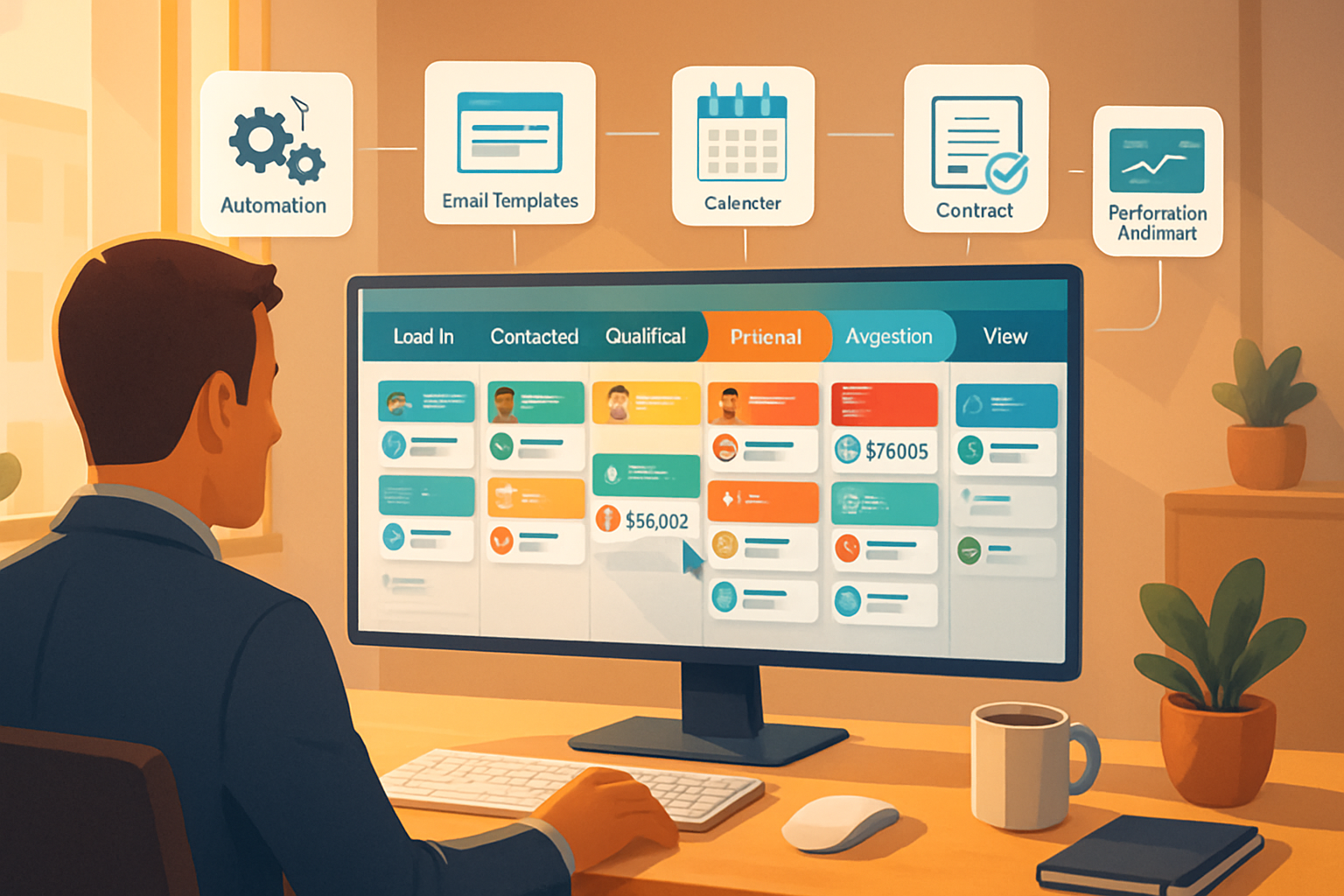
- Pipedrive’s pipeline view presents deals with draggable stages so everyone sees the truth about deal status without meetings.
- Remote teams benefit from a single source of truth - stage, value, owner and next activity are visible immediately.
Tips to optimize:
- Standardize stage names and use clear stage descriptions (e.g., “Proposal Sent - Waiting for Client Signature”).
- Limit stages to the meaningful milestones your team actually acts on. Fewer stages = less ambiguity.
- Create one pipeline per process (e.g., inbound sales, enterprise sales, partner referrals) rather than one giant pipeline.
2) Activity-based selling - enforce the rhythm of outreach
Why it helps:
- Pipedrive is built around activities (calls, emails, meetings, tasks). For remote reps, activities replace hallway check-ins as the operational cadence.
Tips to optimize:
- Use activity types and default durations so activities are predictable.
- Require a next activity when advancing a deal stage to ensure no deal is left unattended.
- Use saved filters like “My deals without an activity in 7 days” and surface them on team dashboards.
3) Automation & Workflows - automate routine handoffs and follow-ups
Why it helps:
- Remote teams need fewer manual handoffs. Automations perform them reliably - reassign deals, create follow-up activities, send templated emails, and update fields.
Tips to optimize:
- Start with a few high-impact automations - reassign a deal when a stage changes; create a “Follow-up” activity two days after a demo stage.
- Test automations with a small team first.
- Keep automation names and descriptions descriptive so future admins can understand intent.
Example workflow (pseudocode):
WHEN deal stage changes to "Proposal Sent"
THEN create activity: "Follow-up - Proposal" due in 3 days assigned to deal owner
AND send internal Slack alert to #deals channel with deal name and owner
4) Integrations that keep conversations in context
Why it helps:
- Remote work depends on async messaging and video. Pipedrive integrates with Slack, Zoom, Google Workspace, Microsoft 365 and many phone/calling solutions so conversation, recordings and calendar events attach to the right contact or deal.
Tips to optimize:
- Connect calendar(s) to ensure activities and meeting links show properly.
- Integrate Slack for internal alerts (new high-value deal, stage change, won/lost) and create channel conventions (e.g., #deals-highvalue).
- Use a calling integration (Aircall, RingCentral, or similar) so call logs and recordings attach to the contact automatically.
Reference: Pipedrive integrations overview https://www.pipedrive.com/en/features
5) Shared inbox and email sync - centralize customer communication
Why it helps:
- When emails sync with Pipedrive, every rep sees the communication history. Remote teams stop duplicating outreach and can quickly pick up conversations when ownership changes.
Tips to optimize:
- Use shared templates for common messages (intro, follow-up, proposal).
- Enable email open and click tracking for visibility into engagement.
- Use Mail-to-Pipedrive for inbound messages that originate outside integrated mailboxes.
6) Mobile and offline access - work from anywhere
Why it helps:
- Remote teams are often distributed across time zones and devices. Pipedrive’s mobile app supports quick data entry, activity completion and deal updates from any location.
Tips to optimize:
- Train reps to log calls and notes immediately via mobile to keep records current.
- Encourage use of the app’s voice-to-text or quick note features for faster capture.
7) Reporting and dashboards - measure outcomes, not just activity
Why it helps:
- Remote leaders need measurable KPIs without running constant meetings. Pipedrive dashboards show conversion rates, pipeline velocity, activities done vs. scheduled and team leaderboards.
Tips to optimize:
- Build a remote-team dashboard that includes - deals by stage, deals without next activity, activities by rep, and pipeline velocity.
- Use scheduled reports to send these dashboards to managers weekly so insights land asynchronously.
8) Roles, permissions and ownership - safe delegation
Why it helps:
- Remote teams require clear ownership boundaries. Pipedrive supports granular user roles and pipelines permissions so admins control data visibility and edit rights.
Tips to optimize:
- Create roles that match how your organization works (e.g., SDR, AE, Sales Manager) and set permissions conservatively.
- Use a “Shared Team Pipeline” role for cross-functional pipelines and private pipelines for sensitive accounts.
9) API, webhooks and extensibility - integrate with your remote stack
Why it helps:
- Remote teams often rely on multiple tools (support, marketing automation, billing). Pipedrive’s API and marketplace let you glue systems together so data flows to the CRM and stays current.
Tips to optimize:
- Use webhooks to trigger downstream processes (e.g., when a deal is won, trigger onboarding workflow in your product onboarding tool).
- If you lack engineering resources, explore pre-built integrations in the Pipedrive Marketplace before building custom apps.
Reference: Pipedrive integrations and API documentation https://www.pipedrive.com/en/features
Practical setup checklist for remote teams (quick wins)
- Standardize pipeline stages and document them in a shared playbook.
- Require a next activity on stage changes.
- Create 3–5 automations - reassign on stage change, create follow-up activities, alert Slack on high-value deals, update custom “Deal Age” field, and auto-close stale deals.
- Sync calendars and email for all reps.
- Build a daily “No Activity” saved filter and a weekly team dashboard sent to managers.
- Create shared email templates and a template library for common touchpoints.
- Train the team on using mobile to capture notes and complete activities in real time.
Onboarding and adoption: make remote CRM adoption stick
- Keep initial training short and practical. Walk through 3 core tasks - create a deal, log an activity, update a stage.
- Use role-based walkthroughs - SDRs, AEs, Managers - show them only what they need.
- Pair a new hire with a buddy for the first two weeks for live shadowing via screenshare.
- Review dashboards in weekly asynchronous updates. Highlight wins and corrective actions - keep meetings short and action-oriented.
For guidance on managing remote teams more broadly, see Harvard Business Review’s advice on remote management: https://hbr.org/2020/03/a-guide-to-managing-your-newly-remote-workers.
Security & compliance considerations
- Use two-factor authentication and strong password policies for all users.
- Restrict sensitive data access using roles and permissions.
- If you handle regulated data, confirm add-on features (like document storage or e-signing) meet your compliance needs.
Example playbook snippets you can copy
- “On new lead - create ‘Initial Outreach’ activity due in 24 hours. If no activity in 7 days, escalate to manager.”
- “When deal value > $50k - auto-notify Sales Director and schedule a weekly status review activity until closed.”
Final verdict - when Pipedrive is the right choice for remote teams
Pipedrive excels for remote-first sales because it makes status visible, enforces activity-driven processes, and stitches communication into deal records through integrations. It’s lightweight enough to onboard quickly and powerful enough to automate the repetitive parts of selling - freeing remote reps to focus on high-value conversations.
If your pain points are visibility, missed follow-ups or inconsistent handoffs, Pipedrive gives you the tools to fix those quickly and to scale the fixes across a distributed team.