· productivity · 7 min read
TickTick vs. Competitors: Why It Remains the Best Task Management Tool in 2023
A clear, detailed comparison showing why TickTick beats other task managers in 2023 - covering unique features, pricing, workflows, and when alternatives make sense.

Outcome first: imagine a single app that handles your daily to‑dos, long-term projects, calendar planning, focus sessions, and even habits - without forcing you to stitch together plugins or pay a premium. That’s what you can build with TickTick in 2023. Read on and you’ll know exactly why many users switch to - and stay with - TickTick.
The short answer up front
TickTick combines the simplicity of a lightweight to‑do list with surprisingly deep features (calendar, Pomodoro, habit tracking, smart lists, robust reminders) at a price that’s hard to beat. It is cross‑platform, fast, and flexible enough for both individual power users and small teams. For most people and most workflows in 2023, that mix makes TickTick the most practical, highest‑value choice.
What matters in a modern task manager
Before we compare apps feature‑by‑feature, let’s be explicit about the criteria that should decide this: speed and reliability; cross‑platform consistency; flexible task models (subtasks, checklists, tags, priorities); scheduling and recurring behavior; calendar and timeline visibility; focus and habit support; integrations and export; collaboration; and, of course, price.
I’ll compare TickTick against leading alternatives on those axes: Todoist, Microsoft To Do, Things (mac/iOS), Asana, Trello, Notion, Any.do, and OmniFocus.
Feature overview - how TickTick stacks up
Cross‑platform coverage - TickTick runs on iOS, Android, macOS, Windows, Linux (web app) and has browser extensions and widgets. That parity matters. If you work on multiple devices you want the same features and sync behavior everywhere. (See TickTick features:
Natural language & scheduling - Quick natural‑language input for due dates and recurring schedules is fast and accurate. Todoist and Any.do also do this well, but TickTick’s recurring rules are more flexible without being inscrutable.
Smart lists & filters - TickTick’s powerful smart lists allow you to create dynamic views (e.g., high‑priority tasks due this week with no project). Todoist has filters, Things has tags and filters on macOS, but TickTick’s combination of smart lists, folders, tags, and priorities is easier to set up for complex views.
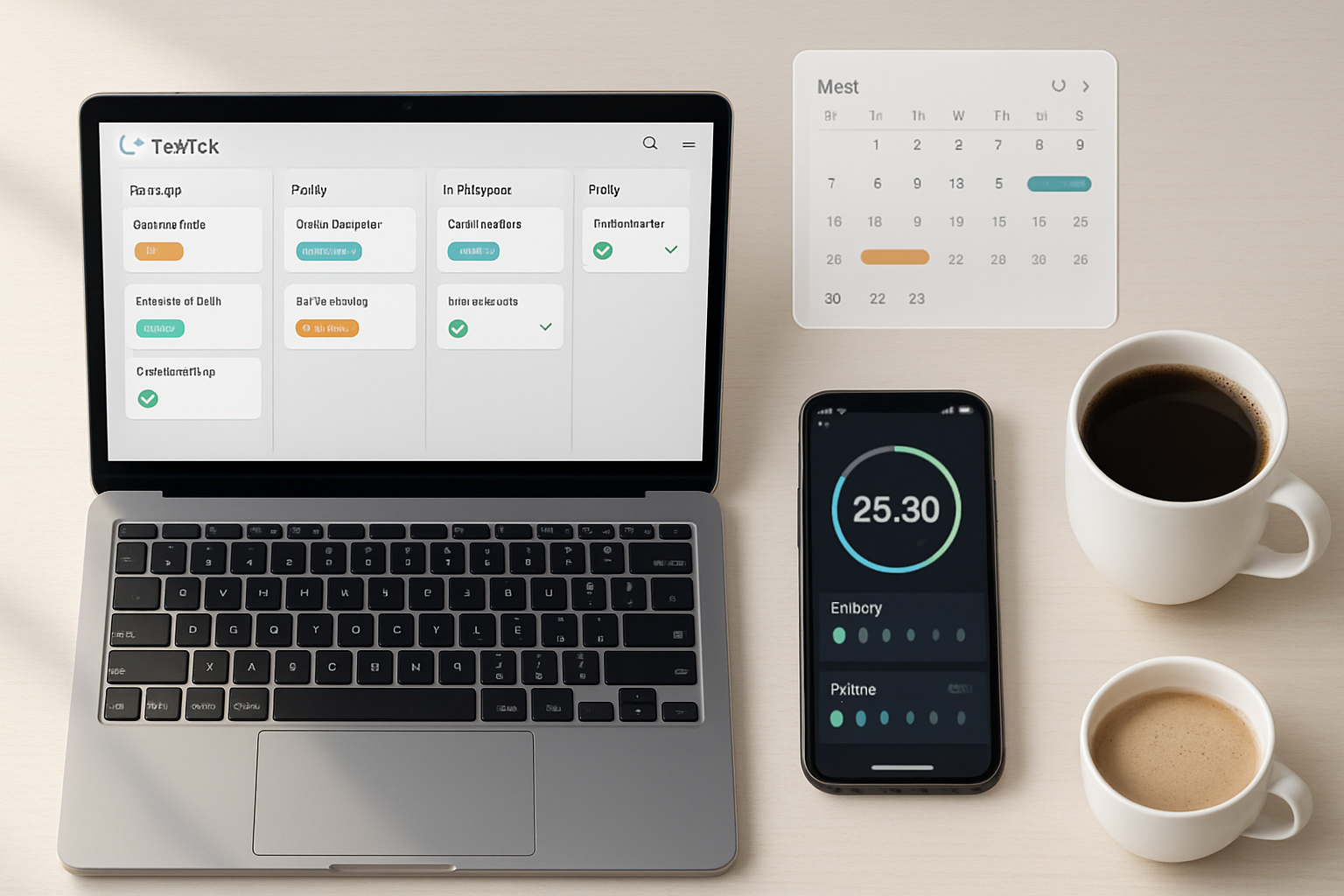
Calendar & timeline - Built‑in calendar view and sync with external calendars (Google, Outlook, Apple) mean you can see tasks and events in one place. Few competitors (Notion, Any.do) offer this depth inside the app.
Focus tools - TickTick has a built‑in Pomodoro timer and focus statistics. That’s a notable differentiator - Todoist and OmniFocus don’t bundle Pomodoro. Many users prefer a single app to manage both tasks and focus sessions.
Habit tracker - A native habit‑tracking feature makes TickTick both a task manager and a daily habits app. This reduces context switching between multiple productivity tools.
Collaboration - TickTick supports shared lists and comments for lightweight team collaboration. Asana and Trello are stronger for team project management, but TickTick covers typical household and small‑team collaboration needs without complexity.
Offline support and speed - TickTick is fast and reliable offline on mobile and desktop. Sync is quick and predictable.
Price - TickTick’s premium tier is more affordable than many full‑featured competitors and includes features (calendar, habit tracker, Pomodoro) that other apps lock behind higher tiers.
References: TickTick features (https://ticktick.com/features), Todoist (https://todoist.com), Things (https://culturedcode.com/things/), Microsoft To Do (https://todo.microsoft.com).
Competitor snapshots - where they shine and where they fall short
Todoist
- Strengths - Excellent natural language parsing, clean UI, powerful filters and integrations, robust ecosystem. It’s a favorite for GTD users and teams who need simple collaboration.
- Weaknesses vs TickTick - No built‑in Pomodoro or habit tracker; free tier limits labels and active projects; calendar view is less native without integration.
- More: https://todoist.com
Microsoft To Do
- Strengths - Free, deep Outlook/Office integration, simple list experience, great for Microsoft-centric workflows.
- Weaknesses vs TickTick - Lacks advanced recurring rules, weak project management features, no built‑in focus or habit tools.
- More: https://todo.microsoft.com
Things (Mac/iOS only)
- Strengths - Gorgeous UI, fantastic for personal productivity on Apple devices, polished experience.
- Weaknesses vs TickTick - No Windows/Android support; no built‑in Pomodoro or habit tracker; paid per‑platform purchases make it expensive if you don’t live entirely in Apple ecosystem.
- More: https://culturedcode.com/things/
Asana & Trello
- Strengths - Excellent for teams and complex project management; task dependencies (Asana), kanban boards (Trello), and extensive integrations.
- Weaknesses vs TickTick - Overkill for individual daily planning; steeper learning curve; paid plans required for advanced features.
- More: https://asana.com, https://trello.com
Notion
- Strengths - Extremely flexible - can be turned into a task manager, wiki, or database-driven system.
- Weaknesses vs TickTick - Requires significant setup; no native Pomodoro/habit tools; mobile task entry and reminders are less straightforward; tends to be heavier for quick task capture.
- More: https://www.notion.so
Any.do
- Strengths - Attractive UI, daily planner features, cross‑platform.
- Weaknesses vs TickTick - Less powerful recurring rules and intelligence; fewer productivity extras like built‑in Pomodoro/habit tracking.
- More: https://www.any.do
OmniFocus
- Strengths - Powerful GTD-focused engine with exceptional control for power users on Apple devices.
- Weaknesses vs TickTick - Mac/iOS only, steep learning curve, expensive; overpowered for many users.
- More: https://www.omnigroup.com/omnifocus
Deep dives - exact areas where TickTick wins
- Productivity features bundled, not bolted on
TickTick includes Pomodoro, habit tracking, a calendar built right into the app, and powerful reminders. You don’t need separate apps or integrations to do core daily productivity work. That reduces friction and context switching.
- Practical recurring tasks and snooze behavior
TickTick’s recurring rules are both expressive and easy to understand: complex patterns (e.g., “every first weekday of the month”) are configurable without scripting. Many apps either oversimplify recurrences or make them arcane.
- Smart lists and flexible structure
You can use projects + folders + tags + smart lists to build workflows ranging from simple to sophisticated. It’s a rare mix of structure and freedom.
- Price-to-value ratio
The paid plan unlocks most power features and costs significantly less than comparable premium subscriptions that still don’t include Pomodoro or habit tracking.
- Cross‑platform fidelity
The experience is nearly identical across mobile, web, and desktop. That consistency matters when you switch devices throughout the day.
Real workflows - when TickTick feels magical
Daily planning - Open TickTick in the morning, scan your calendar and smart list of today’s high‑priority items, start a Pomodoro session, and knock off items while habits are tracked in the sidebar.
Project planning - Create a project folder, drop in tasks with subtasks and tags, use priority levels and scheduled reminders, and review with the calendar overlay.
Light team coordination - Share lists with a partner, assign tasks, comment on items, and get notifications without the complexity of a full PM suite.
These workflows are fast and repeatable. That’s productivity.
When another tool might be better
Heavy team project management - If your organization needs detailed dependencies, workload management, or enterprise features, Asana, Jira, or ClickUp are better fits.
Apple‑only professional GTD users - If you live entirely in macOS/iOS and want the most refined Apple experience, Things or OmniFocus might be preferable despite higher cost.
Deep customization & documentation unification - If you want a combined wiki + tasks + database approach you can fully customize, Notion wins - but at the cost of out‑of‑the‑box convenience.
Pricing snapshot (2023)
Note: Pricing and free tier limits change - always check official sites. Generally:
- TickTick - generous free tier; affordable premium that unlocks calendar, Pomodoro, habits, more smart lists, and larger attachments. (
- Todoist - good free tier; premium is more expensive; filters and labels behind paywall. (
- Microsoft To Do - free; best for Office users. (
- Things/OmniFocus - paid, one‑time or premium Apple purchases. (
- Asana/Trello/Notion/Any.do - freemium, with team features gated behind paid tiers.
The bottom line: TickTick gives an unusually high feature density for its price.
Real criticisms (transparent view)
- Not the strongest for large teams - TickTick’s collaboration is solid for light coordination but isn’t a replacement for full PM platforms.
- Occasional UI inconsistency - On a tiny number of platforms some advanced options feel slightly buried; still, this is minor and improving.
- Not as extensible as Notion or Asana’s integrations - If you need custom workflows with automation at scale, other platforms may offer deeper enterprise automation.
Final verdict - why TickTick remains the best in 2023
You can get a fast, cross‑platform app that covers capture, scheduling, calendar planning, focus, and habits - all without cobbling together multiple paid services. It’s powerful, pragmatic, and priced for real users. For most individuals and small teams who want to spend time doing work instead of configuring software, TickTick remains the best task management tool in 2023.
Sources and reading
- TickTick - features and pricing: https://ticktick.com/features
- Todoist: https://todoist.com
- Things by Cultured Code: https://culturedcode.com/things/
- Microsoft To Do: https://todo.microsoft.com
- Asana: https://asana.com
- Trello: https://trello.com